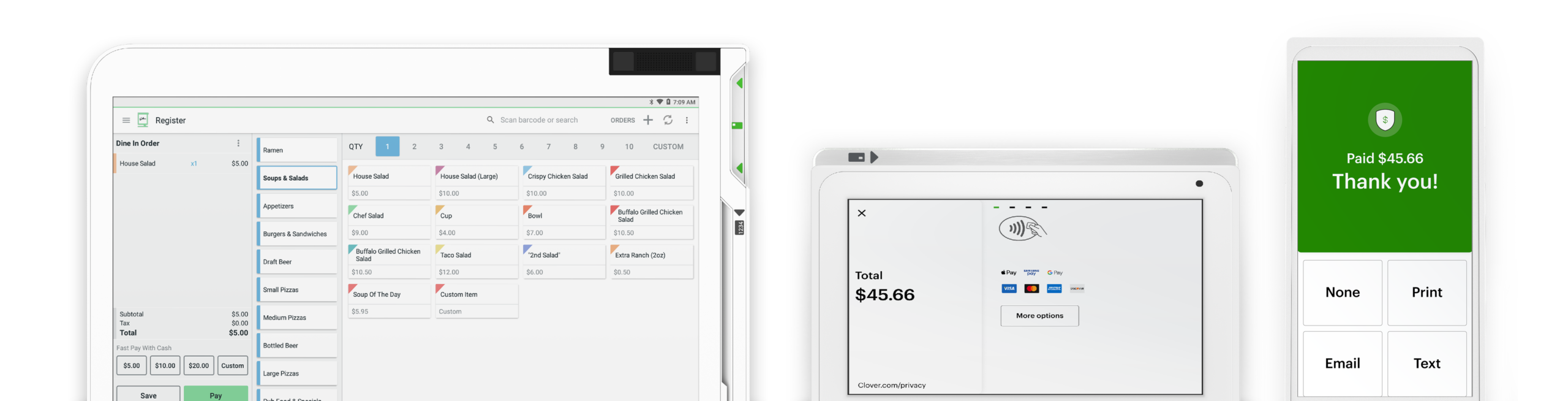






Swipetrex wireless terminals give your business the freedom to accept payments anywhere—whether on the shop floor, at a customer’s table, or on the go. With Wi-Fi and 4G connectivity, our portable devices are designed for speed, reliability, and secure transactions.
Take payments anywhere on-site with portable, lightweight wireless terminals.

Accept chip, swipe, contactless, and mobile wallet payments from your customers.

Long-lasting power ensures uninterrupted service during your busiest hours.

Our wireless payment terminals combine portability, security, and performance to keep your business moving. From retail to restaurants, these devices make it simple to deliver fast and convenient payment options without being tied to the counter.
Every transaction is fully encrypted and PCI compliant for maximum security.
Stay connected at all times with multiple network options for reliable payments.
Intuitive design makes it simple for staff and customers to use.
Offer customers the option of email receipts or instant printed ones.
Connect wireless terminals directly with your POS system for unified management.
Our team is always available to ensure smooth, uninterrupted payment operations.
Receipt paper can be ordered directly from the “Order Paper” app, from our supplies center at +1 406-296-3240, or found at major retailers like Staples or Office Depot. The Station printer takes 3 ⅛ inch x 230 feet thermal paper rolls. The Mini and Flex internal printers, the Mobile printer, and the FD130 terminal take paper rolls that are 2 ¼ inches by 85 feet. The Star SP700 Kitchen Printer (also commonly referred to as the Impact Printer) takes 76mm paper rolls, with a roll diameter of up to 85mm.
Swipetrex supports a host of compatible accessories you can view here. For assistance with adding accessories or devices to your system, contact your business consultant. You can find their contact number on your statement or by logging in to your web dashboard. On your Station and Mini, you will find the phone number at the top right corner of the screen. Can’t find your contact number? Please call +1 406-296-3240.
The fastest way to get help is to log in to swipetrex Help to access information that's personalized for the Clover system you have. We've upgraded Help to include relevant articles based on your system, including your device(s) and the features you use. Our agents are available to assist you when you're unable to resolve issues on your own. There are a few ways to reach live support: From a browser, log in to your Clover account and select Help at the top to access a range of support options. On a Clover device, tap Help on the home screen. In the Clover Go mobile app, open the menu and tap Help. Find your direct support phone number on your statement.
If you are staying with the previous owner’s merchant services provider, we can transfer the business’s existing Clover system to your name and set up an account. The fastest way to get help is to log in to Clover Help to access information that's personalized for the Clover system you have. We've upgraded Help to include relevant articles based on your system, including your device(s) and the features you use. Our agents are available to assist you when you're unable to resolve issues on your own. There are a few ways to reach live support: From a browser, log in to your Clover account and select Help at the top to access a range of support options. On a Clover device, tap Help on the home screen. In the Clover Go mobile app, open the menu and tap Help. Find your direct support phone number on your statement.
Our swipetrex team is happy to help you with all things insurance.
It’s never been easier. Set up your Clover POS system with the right mix of devices and apps for your business. Add more devices or apps when you’re ready.