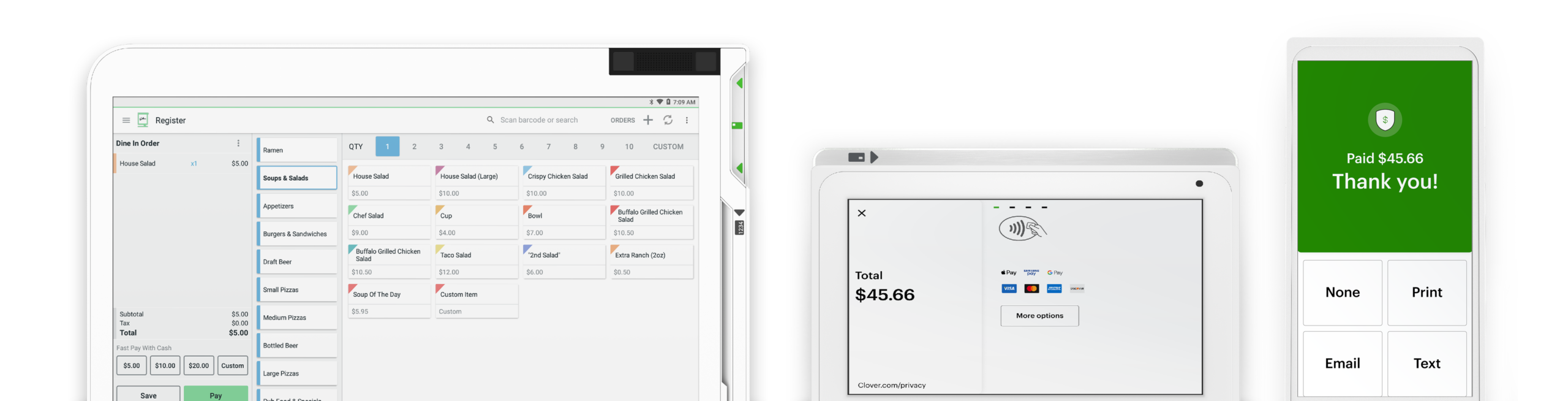






Swipetrex helps online businesses thrive by providing secure, efficient, and innovative payment solutions. Our robust infrastructure ensures that your e-commerce platform can accept payments from customers worldwide, giving you the flexibility to scale without limits.
Our payment solutions integrate seamlessly with your e-commerce shopping cart, enabling smooth and frictionless checkout experiences.
We offer fully customizable payment pages, allowing you to align payment flows with your brand’s design and messaging.

Our API integration enables compatibility with multiple systems and software, making data exchange and transactions efficient.

With Swipetrex, you get a seamless, secure, and efficient payment infrastructure designed for modern e-commerce businesses. Our solutions help you streamline transactions, enhance customer experiences, and boost sales without the hassle of manual payment processing.
Our system integrates effortlessly with your cart to reduce abandonment rates and increase conversions.
Create branded payment pages that deliver a cohesive and trustworthy experience for your customers.
Easily connect with your existing systems using our flexible API, enabling automated transactions across platforms.
Gain detailed insights and real-time reporting to track sales, monitor transactions, and optimize performance.
We implement advanced security protocols to safeguard every transaction and ensure a risk-free payment environment.
Our dedicated support team is available around the clock to help you resolve issues and optimize your payment flow.
Receipt paper can be ordered directly from the “Order Paper” app, from our supplies center at +1 406-296-3240, or found at major retailers like Staples or Office Depot. The Station printer takes 3 ⅛ inch x 230 feet thermal paper rolls. The Mini and Flex internal printers, the Mobile printer, and the FD130 terminal take paper rolls that are 2 ¼ inches by 85 feet. The Star SP700 Kitchen Printer (also commonly referred to as the Impact Printer) takes 76mm paper rolls, with a roll diameter of up to 85mm.
Swipetrex supports a host of compatible accessories you can view here. For assistance with adding accessories or devices to your system, contact your business consultant. You can find their contact number on your statement or by logging in to your web dashboard. On your Station and Mini, you will find the phone number at the top right corner of the screen. Can’t find your contact number? Please call +1 406-296-3240.
The fastest way to get help is to log in to swipetrex Help to access information that's personalized for the Clover system you have. We've upgraded Help to include relevant articles based on your system, including your device(s) and the features you use. Our agents are available to assist you when you're unable to resolve issues on your own. There are a few ways to reach live support: From a browser, log in to your Clover account and select Help at the top to access a range of support options. On a Clover device, tap Help on the home screen. In the Clover Go mobile app, open the menu and tap Help. Find your direct support phone number on your statement.
If you are staying with the previous owner’s merchant services provider, we can transfer the business’s existing Clover system to your name and set up an account. The fastest way to get help is to log in to Clover Help to access information that's personalized for the Clover system you have. We've upgraded Help to include relevant articles based on your system, including your device(s) and the features you use. Our agents are available to assist you when you're unable to resolve issues on your own. There are a few ways to reach live support: From a browser, log in to your Clover account and select Help at the top to access a range of support options. On a Clover device, tap Help on the home screen. In the Clover Go mobile app, open the menu and tap Help. Find your direct support phone number on your statement.
Our swipetrex team is happy to help you with all things insurance.
It’s never been easier. Set up your Clover POS system with the right mix of devices and apps for your business. Add more devices or apps when you’re ready.